
Five Manufacturing Website Improvements That Can Increase Enquiries
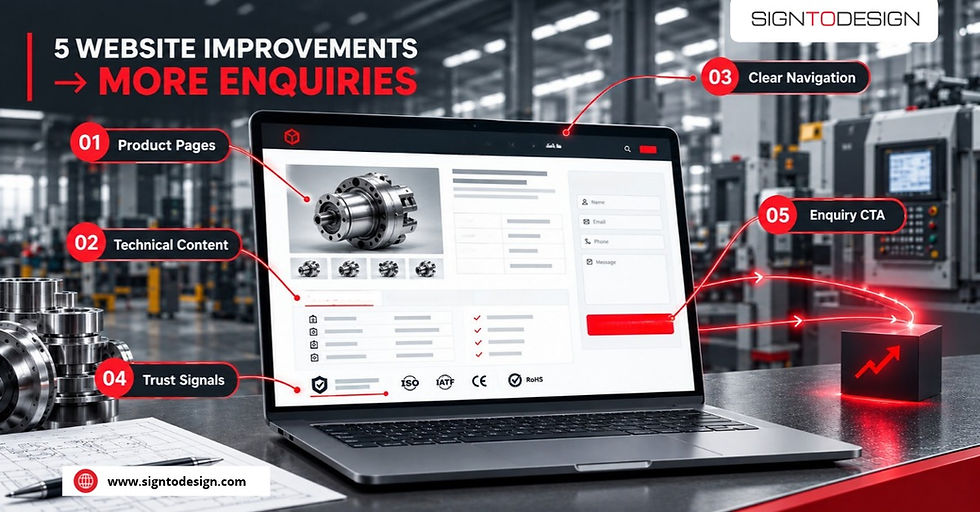
How to Fix Low Enquiries on a Manufacturing Website Without a Redesign
A manufacturing website does not need a complete overhaul to perform better. In most cases, learning how to fix low enquiries on a manufacturing website without a redesign comes down to identifying and resolving a handful of specific, fixable friction points. Effective manufacturing website conversion optimization relies on providing clear, accessible information where buyers expect to see it.
Procurement managers, OEM buyers, and export buyers evaluate suppliers quickly. If your website does not give them what they need to make a shortlisting decision, they move on. These five targeted improvements address the most common points where that evaluation decision goes against you.
1. Replace Vague Capability Descriptions With Specific Technical Detail
Phrases like "high-quality manufacturing" or "precision components" tell a buyer nothing they can use. What they need to know is: what processes do you run, what materials do you work with, what tolerances can you hold, and what component sizes or batch volumes can you handle?
A procurement team comparing three shortlisted suppliers will go with the one whose website answers these questions directly. If yours does not, you are asking them to pick up the phone before they are ready, and many will not bother.
Practical fix: Audit each capability or product page. For every claim, ask whether a buyer could use that sentence to decide whether you are technically capable of their job. If not, rewrite it with specifics.
2. Make Certifications Visible on Every Relevant Page
ISO 9001, IATF 16949, BIS, CE, RoHS, NABL, export compliance documentation: these are not decorative. For buyers in automotive, defence, pharma, EPC, or export markets, compliance acts as an OEM procurement buyer pre-qualification filter. If a buyer cannot see your certifications quickly, they may assume you do not hold them.
Knowing where to put quality certifications on an industrial website is critical. Placing certification logos only on an About or Quality page is not enough. They should appear directly on capability pages, product category pages, and wherever a buyer might be evaluating whether to contact you.
Practical fix: Add a certifications strip or inline reference to every page that describes a process or product category. Link each certification to the relevant certificate or a quality systems page with more detail.
3. Add a Clear, Low-Friction Next Step on Product and Capability Pages
The most common CTA failure on manufacturing websites is placing a contact form only on the Contact page. A buyer reading your CNC machining capability page should not have to navigate away to ask a question.
The next step does not need to be a hard sell. It can be an invitation to send a drawing, request a capability statement, ask for a sample lead time, or download a product datasheet. The key is that it is present on the page where the buyer is already engaged, and it asks for something proportionate to where they are in their evaluation.
Practical fix: Review every capability and product page. Add a contextually relevant CTA within the page content, not only in the header or footer. Make it specific to what a buyer at that stage would want to do next.
4. Show Capacity and Lead Time Information So Buyers Can Self-Qualify
Buyers do not always call to express interest. They often call to check whether you can handle their volumes and timelines, and if the answer is no, the call was wasted for both parties.
Publishing indicative capacity ranges, typical lead times, and minimum or maximum order quantities helps serious buyers self-qualify before they contact you. It also signals operational confidence. A manufacturer that publishes this information is one that knows its own numbers.
This does not mean publishing a full rate card. It means giving enough information that a buyer with a 50,000-unit annual requirement or a six-week delivery window can judge whether it is worth starting a conversation.
Practical fix: Add a capacity and lead time section to your main capability pages. Use ranges rather than fixed numbers if that is more accurate. Include a line about what to do if a buyer has an unusual requirement.
5. Replace Stock Photography With Real Facility and Component Images
Stock photography of generic machinery or anonymous workers does not build trust with an experienced procurement buyer. They have seen the same images on dozens of other websites. Real photographs of your shop floor, your equipment, your finished components, and your quality inspection process do something stock images cannot: they prove that what you describe actually exists.
This is particularly important for export buyers and OEM customers who may never visit your facility before placing an order. Your website images are their site visit.
Practical fix: Commission a half-day photography session at your facility. Photograph the key machines by name, the inspection area, finished components at scale, and any visible quality or safety systems. Use these images on capability and product pages rather than on the homepage alone.
Why These Manufacturing Website Improvements Matter Most
Each of these improvements addresses a specific moment in the buyer evaluation process:
Can this supplier do my job technically?
Are they certified for my sector?
How do I take the next step?
Can they handle my volumes?
Do I believe what they are telling me?
A website that answers all five of those questions clearly is one that earns shortlist positions consistently. None of these changes require a full redesign. They require clarity about what buyers need and the discipline to provide it on every relevant page.
If you want to understand how to apply this kind of continuous, structured improvement to your manufacturing website, the approach is described in detail on our Website Growth for Manufacturing Companies page.


Comments